What Actually Happens When You Send a Message?
Sending a message feels instant, but behind every text exists a massive system of servers, encryption, cloud infrastructure, and internet routing. This blog explores the hidden journey your messages take before reaching someone else’s screen.

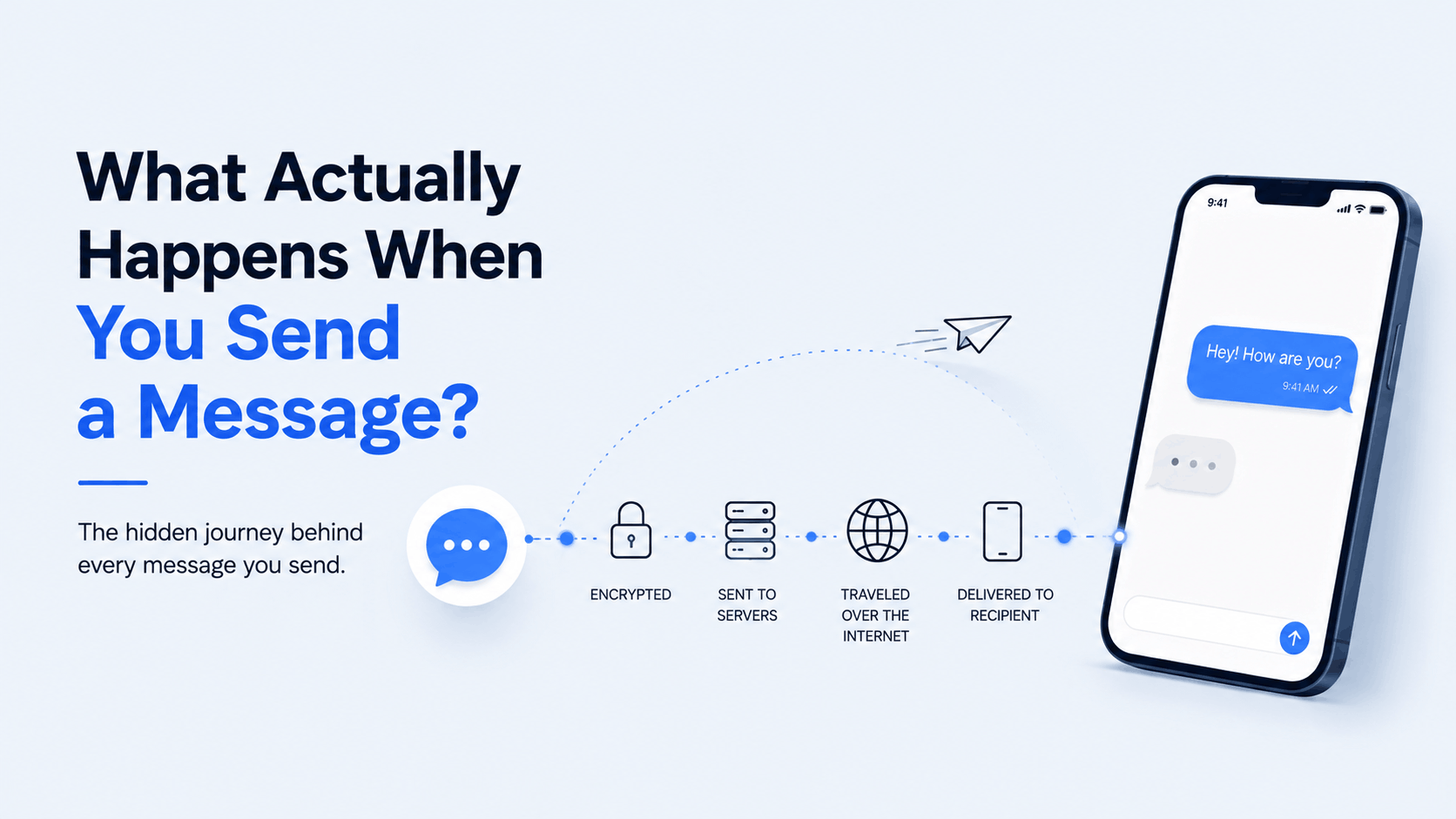
The hidden journey behind every text, emoji, photo, and voice note you send online
Introduction: Sending a Message Feels Almost Magical
You open an app.
Type:
“Hey, where are you?”
Press send.
A few seconds later, someone across the city…
or across the world…
receives it instantly.
No envelopes.
No waiting.
No visible infrastructure.
Just:
tap → delivered.
Modern messaging feels so simple that most people never stop to ask:
What actually happens when you send a message?
Because behind that tiny “send” button exists one of the most complicated systems humans use every single day.
Your message travels through:
- smartphones
- operating systems
- encryption systems
- APIs
- servers
- internet infrastructure
- databases
- routing systems
- notification services
All within seconds.
And somehow, billions of people do this simultaneously every day without the internet collapsing completely.
That’s honestly incredible.
Before the Internet, Messaging Worked Very Differently
For most of human history, communication depended on physical movement.
Messages traveled through:
- letters
- couriers
- telegraphs
- telephone lines
Even early digital communication felt limited.
SMS messages depended heavily on telecom networks.
Internet messaging changed everything because communication became software-driven.
Not infrastructure-bound in the traditional sense.
The Smartphone Changed Messaging Forever
Smartphones transformed communication into something constant.
People no longer “go online” to send messages.
They are almost always connected.
Messaging became:
- instant
- global
- portable
- continuous
That changed human behavior permanently.
Modern Messaging Apps Are Basically Tiny Internet Ecosystems
Apps like:
- Telegram
- Signal
- Discord
Look simple on the surface.
But internally, they operate enormous distributed systems handling:
- real-time communication
- encryption
- synchronization
- media delivery
- notifications
- cloud infrastructure
At a global scale.
So What Actually Happens When You Press “Send”?
Now comes the fun part.
Let’s follow a message from beginning to end.
Imagine you send:
“Hey John, I’m outside.”
Seems simple.
But the journey is surprisingly complex.
Step 1: Your App Creates the Message
The moment you press send,
Your app packages information into structured data.
That package includes:
- message content
- sender ID
- receiver ID
- timestamp
- metadata
The app converts your text into machine-readable data.
Because computers do not understand human language directly.
They understand structured digital information.
Even Emojis Become Data
That smiling emoji?
It’s actually encoded information.
Your phone converts symbols into standardized formats that computers can process consistently across devices.
That’s why emojis mostly appear similarly worldwide.
Although sometimes…
Android and iPhone still argue visually.
Step 2: Encryption Happens
Before the message leaves your device,
Many modern apps encrypt it.
Encryption transforms readable text into coded information.
This prevents random systems on the internet from reading your messages directly.
Without proper encryption keys,
the data appears meaningless.
Why Encryption Matters So Much
The internet itself is not automatically private.
Data travels through many systems:
- routers
- networks
- servers
- internet providers
Encryption protects communication while it moves across those systems.
That’s why encrypted messaging became increasingly important.
End-to-End Encryption Sounds Complicated, But the Idea Is Simple
In end-to-end encryption,
only:
- sender
- receiver
Can fully read the message.
Even the messaging platform itself often cannot directly access message contents.
This marked a major shift in privacy for digital communication.
Step 3: Your Phone Sends Data to the Internet
Now your device must actually transmit the message.
This happens through:
- Wi-Fi
- mobile data
- internet providers
Your phone sends packets of information across networks toward messaging servers.
Interestingly:
Messages don’t travel as one giant piece.
They travel as smaller chunks called packets.
The Internet Is Basically a Massive Traffic System
Data online behaves somewhat like traffic moving through roads.
Routers continuously decide:
- where packets go
- Which path is fastest
- How to avoid congestion
Your message may travel through multiple cities and systems before reaching destination servers.
All within milliseconds.
DNS Quietly Helps Everything Work
Before contacting servers,
your device often uses DNS.
DNS translates readable names into server addresses.
Because computers identify systems using IP addresses,
not app names that humans recognize.
DNS acts like the Internet’s phonebook.
Most users never notice it happening.
Step 4: The Messaging Server Receives the Message
Once packets reach the platform’s infrastructure,
Servers process the message.
This is where cloud systems become extremely important.
Messaging platforms operate enormous server infrastructures globally.
Because millions of users may send messages simultaneously.
Modern Messaging Apps Depend Heavily on Cloud Computing
Cloud infrastructure powers:
- message delivery
- storage
- synchronization
- media processing
- account systems
Companies like:
- Amazon Web Services
- Google Cloud
- Microsoft Azure
Quietly support huge parts of modern communication systems.
Servers Decide Where the Message Needs to Go
The messaging platform checks:
- Who should receive the message
- whether the receiver is online
- which device should receive it
- delivery status
This routing process happens incredibly fast.
Real-Time Messaging Is Harder Than It Looks
Modern messaging apps feel instant because systems maintain near-continuous connections.
This allows servers to push new messages immediately instead of waiting for manual refreshes.
That’s why chats feel “live.”
WebSockets Quietly Power Real-Time Communication
Many modern apps use technologies like:
WebSockets
Instead of repeatedly asking:
“Any new messages?”
Devices maintain persistent connections.
This allows instant two-way communication.
Without constantly reloading.
Step 5: Notifications Enter the Story
If the receiver is offline,
notification systems activate.
Push notification services inform devices:
“New message available.”
Operating systems like:
- Android
- iOS
Manage these notifications carefully to preserve battery life and performance.
Why Notifications Sometimes Arrive Late
Notifications depend on:
- internet quality
- battery optimization
- server load
- operating system behavior
Sometimes:
the message exists on server,
but notification delivery gets delayed.
That’s why apps occasionally feel inconsistent.
Step 6: Receiver’s Device Downloads the Message
Once the recipient opens app,
their device:
- authenticates
- decrypts message
- renders conversation UI
And finally displays:
“Hey John, I’m outside.”
All of this may happen within seconds.
Sometimes faster than human reaction time.
Images and Videos Follow a Different Journey
Text messages are relatively lightweight.
Media is much heavier.
Photos and videos often upload separately to cloud storage systems.
Instead of directly embedding large files inside message payloads.
This improves speed and scalability dramatically.
Compression Helps Messages Travel Faster
Apps compress:
- images
- videos
- audio
Before sending them.
Smaller file sizes:
- reduce bandwidth usage
- improve upload speed
- lower infrastructure cost
Compression quietly powers much of modern communication.
Why “Typing…” Exists
Typing indicators seem tiny.
But technically they’re real-time status events that constantly sync between devices.
Apps continuously send small updates like:
- typing
- recording audio
- online status
- read receipts
Modern messaging systems constantly exchange background information.
Read Receipts Are Surprisingly Complicated
That tiny “Seen” label?
It involves:
- synchronization
- timestamps
- device confirmation
- delivery tracking
Tiny features often require surprisingly complex backend systems.
Group Chats Increase Complexity Dramatically
Sending message to one person is manageable.
Sending to:
- 10 people
- 100 people
- thousands in communities
Requires far more infrastructure coordination.
Scalability becomes difficult quickly.
Messaging Apps Handle Massive Scale
Every second,
modern platforms process:
- millions of messages
- billions of requests
- enormous media uploads
At global scale.
And users expect:
- instant delivery
- zero downtime
- synchronization everywhere
That’s an extraordinary engineering challenge.
Databases Quietly Store Everything
Messaging systems rely heavily on databases.
These databases manage:
- chat history
- user accounts
- media references
- delivery states
- timestamps
Efficient database architecture is critical for messaging performance.
Syncing Across Devices Is Surprisingly Difficult
You may use:
- phone
- laptop
- tablet
Simultaneously.
Messaging platforms must synchronize conversations consistently across all devices.
Without duplication or conflict.
That synchronization problem is harder than it sounds.
Internet Latency Still Matters
Even fast systems face physics limitations.
Data still takes time traveling globally.
Distance matters.
That’s why apps use:
- global servers
- CDNs
- edge infrastructure
To reduce communication delay.
Why Voice Messages Feel Different
Voice notes involve:
- audio recording
- compression
- upload processing
- cloud delivery
Compared to simple text,
they require significantly more infrastructure resources.
AI Is Changing Messaging Too
Modern platforms increasingly use AI for:
- spam detection
- translation
- smart replies
- moderation
- recommendation systems
Communication systems are becoming more intelligent.
Spam and Abuse Protection Is a Huge Hidden Challenge
Messaging platforms constantly battle:
- spam
- scams
- fake accounts
- malicious links
Large-scale moderation systems operate continuously behind the scenes.
Most users never notice this invisible filtering layer.
Messaging Quietly Changed Human Relationships
This technology didn’t just improve communication speed.
It changed:
- expectations
- social behavior
- work culture
- friendships
- attention patterns
People now expect near-instant replies globally.
That would have sounded absurd decades ago.
The Most Interesting Part
Modern messaging feels effortless because enormous complexity has become invisible.
Users don’t think about:
- packet routing
- encryption
- cloud systems
- APIs
- synchronization engines
They simply expect messages to work.
And honestly?
That’s a sign of incredibly successful engineering.
Final Thoughts
Sending a message feels simple because modern technology hides astonishing complexity behind elegant interfaces.
Every text travels through:
- devices
- networks
- encryption systems
- cloud infrastructure
- databases
- real-time communication protocols
Within seconds.
The internet transformed communication from physical movement into instantaneous digital synchronization.
And most people barely notice the infrastructure making it possible.