Render Alternatives in 2026: Best Free Hosting Platforms for Node.js
Looking for a Render alternative for your Node.js app? Compare MS Host, Railway, Koyeb, Northflank, Fly.io, Vercel, and VPS hosting in 2026.

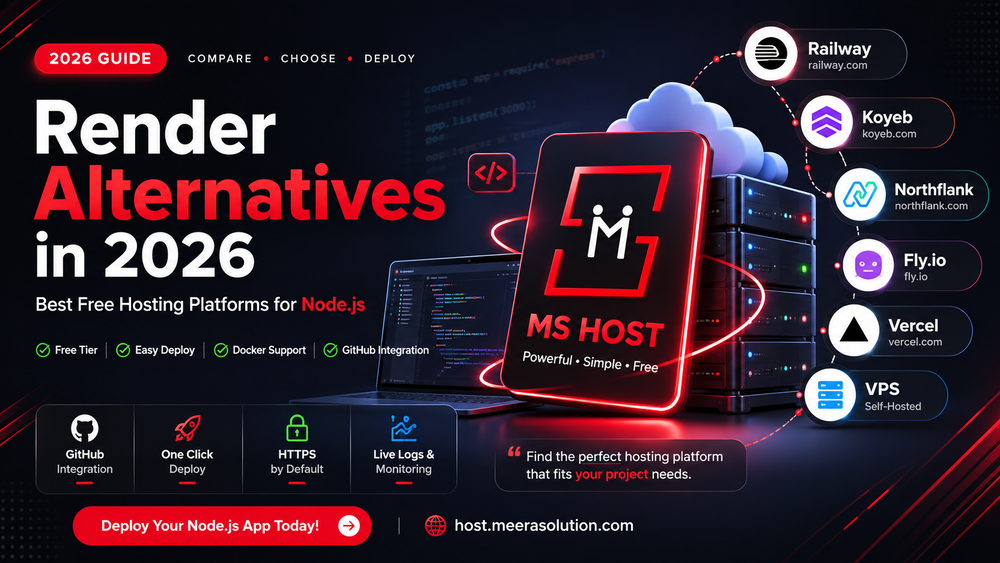
If you are searching for Render alternatives in 2026, you are probably looking for a simple way to deploy your Node.js application without managing a complete VPS.
Render is a popular platform for deploying Node.js applications, APIs, Docker services, and other web applications. However, its Free plan has limitations that may not be suitable for every project.
For example, Render's Free web services spin down after 15 minutes without inbound traffic and can take about a minute to start again when a new request arrives. Render itself recommends Free instances for testing, hobby projects, and previews rather than production applications.
This is why developers often search for Render alternatives.
In this guide, we compare popular options for Node.js hosting in 2026, with MS Host as one of the strongest alternatives to consider if you want free Node.js and Docker hosting with a simple GitHub-based deployment workflow.
Quick answer: If you want a simple Node.js deployment platform with GitHub integration, HTTPS, live logs, and support for Node.js, Next.js, React, and Docker, MS Host is worth trying first. Other options such as Railway, Koyeb, Northflank, Fly.io, Vercel, and VPS hosting may be better depending on your architecture and infrastructure requirements.
Why Are Developers Looking for Render Alternatives?
Render makes deployment relatively simple.
You can connect a Git repository, configure your service, choose a runtime, and deploy your application. Render supports Node.js web services and can also deploy prebuilt Docker images.
However, the Free plan has limitations.
The biggest issue for many developers is idle spin-down.
A Render Free web service can spin down after 15 minutes without inbound traffic. When a new request arrives, the service starts again, and Render says this process can take about one minute.
This can be completely acceptable for:
- Learning Node.js deployment
- Portfolio projects
- Demo applications
- Proof-of-concept projects
- Testing APIs
- Hobby projects
But it can become inconvenient when you need:
- Consistent response times
- Long-running processes
- Background workers
- WebSocket applications
- Always-on APIs
- Production workloads
- Scheduled jobs
That is where comparing Render alternatives becomes useful.
What Should You Look for in a Render Alternative?
Before selecting a hosting platform, don't look only at whether it says "free."
For a Node.js project, consider the following.
Node.js support
Can you deploy a normal Node.js application and run your preferred Node.js version?
GitHub deployment
Can you connect your GitHub repository and automatically deploy new changes?
Environment variables
Can you securely configure variables such as:
DATABASE_URL
JWT_SECRET
API_KEY
NODE_ENV
PORT
Live logs
Can you see build and runtime logs when your deployment fails?
Docker support
Can you deploy a Dockerfile or pre-built Docker image?
HTTPS
Does the platform provide HTTPS automatically?
Custom domains
Can you connect your own domain to the application?
Database connectivity
Can your application connect to MongoDB, PostgreSQL, Redis, or another external database?
Runtime behavior
Does the service sleep when inactive?
This last point is especially important when comparing Render alternatives.
Best Render Alternatives for Node.js in 2026
Here are the platforms worth considering:
- MS Host
- Railway
- Koyeb
- Northflank
- Fly.io
- Vercel
- VPS hosting
These platforms are not identical.
Some are designed for simple application deployment, some focus heavily on containers and infrastructure, while others are optimized for frameworks such as Next.js.
1. MS Host — A Strong Render Alternative for Node.js
Best for: Node.js, Next.js, React, Docker applications, APIs, and developers who want a simple deployment workflow.
If your main reason for searching for a Render alternative is free Node.js hosting with a straightforward deployment workflow, MS Host is one of the platforms worth trying.
MS Host currently advertises:
- Node.js hosting
- Next.js hosting
- React hosting
- Docker deployment
- GitHub integration
- Automatic deployments
- HTTPS
- Live build and runtime logs
- Framework auto-detection
- Free-tier hosting
- No expiration on its advertised free tier
Why consider MS Host?
The deployment workflow is designed around a simple process:
GitHub Repository
       ↓
   Connect Project
       ↓
Configure & Deploy
       ↓
   Build
       ↓
     Live
Instead of manually configuring a Linux server, you can connect your repository and configure the deployment.
MS Host also advertises support for several developer workloads, including:
Node.js
Next.js
React
Docker
Grafana
Loki
Jenkins
MinIO
WordPress
Node.js deployment
For a normal Node.js application, your project can contain a standard package.json and production start command.
For example:
{
  "scripts": {
    "start": "node server.js"
  }
}
The application can then be deployed through the hosting platform rather than manually configuring a VPS.
Docker support
If your application already has a Dockerfile, Docker-based deployment can give you more control over the runtime environment.
For example:
FROM node:20-alpine

WORKDIR /app

COPY package*.json ./

RUN npm install

COPY . .

EXPOSE 3000

CMD ["npm", "start"]
This is particularly useful for applications that require custom dependencies or a specific runtime configuration.
HTTPS and logs
MS Host currently advertises HTTPS by default and live build/runtime logs, which are useful when debugging deployment issues.
Who should try MS Host?
MS Host is particularly worth considering if you are:
- Learning Node.js deployment
- Building a portfolio
- Deploying an interview project
- Hosting a small API
- Building a Next.js application
- Using Docker
- Looking for a free hosting option
- Moving away from a sleeping free-tier service
Deploy your Node.js project on MS Host →
2. Railway
Best for: Developers who want a modern application deployment platform with infrastructure capabilities.
Railway provides a simple way to deploy Node.js applications and can connect projects from GitHub. Its platform also supports Docker-based deployments and infrastructure services.
Railway is useful for:
- Node.js applications
- Express.js
- APIs
- Databases
- Docker
- Full-stack applications
Railway vs Render
Both platforms aim to simplify deployment, but you should compare their current pricing, resource limits, sleep behavior, build limits, and database options before choosing one.
3. Koyeb
Best for: Managed application deployment and container-based workloads.
Koyeb is another platform worth considering when looking for a Render alternative.
It can be useful for:
- Node.js applications
- APIs
- Docker containers
- Web applications
- Backend services
Before selecting Koyeb, check its current pricing, free-tier resources, regions, bandwidth limits, and runtime restrictions.
4. Northflank
Best for: Docker, containers, microservices, and developers who need more infrastructure capabilities.
Northflank is particularly interesting when your application becomes more complex than a single Node.js service.
For example:
Frontend
   ↓
Node.js API
   ↓
PostgreSQL
   ↓
Redis
Container-focused platforms can become useful when you need multiple services or more control over the deployment architecture.
Northflank's documentation also provides examples for exposing Node.js applications and running Node servers in containers.
5. Fly.io
Best for: Developers who want more control over infrastructure.
Fly.io takes a more infrastructure-oriented approach.
It can be attractive if you are comfortable with:
- Docker
- CLI tools
- Networking
- Regions
- Infrastructure configuration
The extra flexibility can also mean more configuration compared with beginner-focused hosting platforms.
If your requirement is simply:
"Deploy my Node.js app quickly."
then a simpler managed platform may be easier.
6. Vercel
Best for: Next.js and frontend-focused applications.
Vercel is especially strong for Next.js applications.
Vercel describes itself as the native Next.js platform and provides first-class support for Next.js features.
However, Vercel should not automatically be considered a one-to-one replacement for every Render workload.
A traditional Node.js server might run continuously:
const express = require("express");

const app = express();

app.get("/", (req, res) => {
  res.send("Hello World");
});

app.listen(3000);
Vercel uses a different architecture for many backend workloads.
Therefore, evaluate your application architecture before migrating.
Choose Vercel when:
- You use Next.js
- Your application is frontend-focused
- You use serverless functions
- You want a highly integrated Next.js workflow
7. VPS Hosting
Best for: Developers who want complete server control.
If your biggest problem with managed hosting is platform restrictions, a VPS gives you much more control.
A typical Node.js server could look like:
                  Internet
                      ↓
                    Nginx
                      ↓
                 Node.js / PM2
                      ↓
              MongoDB / PostgreSQL
You can install:
Ubuntu
Node.js
Nginx
PM2
Docker
MongoDB
PostgreSQL
Redis
Certbot
The advantage is control.
The disadvantage is responsibility.
You need to manage:
- Security updates
- Firewall
- SSL
- Backups
- Monitoring
- Server maintenance
- Process management
- Deployment
- Troubleshooting
A VPS is therefore powerful, but it is not necessarily easier than a managed hosting platform.
Render vs Alternatives: Quick Comparison
| Platform | Best For | Node.js | Docker | Beginner Friendly | Infrastructure Control |
|---|---|---|---|---|---|
| MS Host | Node.js & Docker | ✅ | ✅ | ⭐⭐⭐⭐⭐ | ⭐⭐⭐ |
| Render | Simple app deployment | ✅ | ✅ | ⭐⭐⭐⭐⭐ | ⭐⭐ |
| Railway | Modern app deployment | ✅ | ✅ | ⭐⭐⭐⭐⭐ | ⭐⭐ |
| Koyeb | Managed applications | ✅ | ✅ | ⭐⭐⭐⭐ | ⭐⭐⭐ |
| Northflank | Containers & infrastructure | ✅ | ✅ | ⭐⭐⭐ | ⭐⭐⭐⭐ |
| Fly.io | Infrastructure control | ✅ | ✅ | ⭐⭐⭐ | ⭐⭐⭐⭐⭐ |
| Vercel | Next.js | ✅* | ⚠️ | ⭐⭐⭐⭐⭐ | ⭐ |
| VPS | Complete control | ✅ | ✅ | ⭐⭐ | ⭐⭐⭐⭐⭐ |
* Vercel's deployment architecture differs from a traditional continuously running Node.js server.
* Vercel's deployment architecture differs from a traditional continuously running Node.js server.
Note: Hosting plans, free tiers, pricing, resource limits, regions, and features can change. Always verify the current provider documentation before deploying an important application.
Render Free Tier: What You Should Know
Render's Free tier is still useful for testing and hobby projects.
However, it is important to understand its limitations before deciding whether you need an alternative.
15-minute idle spin-down
Render Free web services spin down after 15 minutes without inbound traffic.
When a new request arrives, the service starts again and can take about one minute to become available.
This is one of the main reasons developers search for alternatives.
750 free instance hours
Render currently provides 750 Free instance hours per workspace per calendar month. If those hours are exhausted, Free web services are suspended until the next month.
Ephemeral filesystem
Free web services have an ephemeral filesystem.
That means you should not depend on local files for permanent storage.
For example:
/uploads
/images
/data
SQLite database
should not be treated as permanent storage on a Free web service.
Free PostgreSQL
Render's Free PostgreSQL currently has:
- 1 GB storage
- 30-day expiration
- 14-day grace period after expiration
- No backups
For important production data, you should use an appropriate database plan with suitable backup and persistence guarantees.
Which Render Alternative Should You Choose?
For a simple Node.js project
Recommended:
MS Host, Render, or Railway
If you want a simple GitHub-to-deployment workflow, start with a managed hosting platform.
For a developer looking for free Node.js hosting with GitHub deployment, HTTPS, logs, and Docker support, MS Host is worth testing first.
Try MS Host for your Node.js project →
For Docker applications
Recommended:
MS Host, Railway, Koyeb, Northflank, or Fly.io
Docker gives you more control over your application's runtime environment.
For Next.js
Recommended:
Vercel
Vercel has first-class Next.js support and is designed around the framework's deployment model.
For maximum infrastructure control
Recommended:
VPS or Fly.io
These options are better suited to developers who are comfortable managing infrastructure.
Why MS Host Can Be Interesting for Developers Moving From Render
If your main issue is the Render Free-tier sleep behavior, the first thing to do is identify whether your replacement platform's plan actually solves that problem.
Don't switch platforms just because another website says "free."
Instead, compare:
Sleep behavior
CPU
RAM
Bandwidth
Build limits
Deployment time
Docker support
GitHub integration
HTTPS
Logs
Custom domains
Database connectivity
MS Host currently advertises GitHub deployment, automatic deployments, HTTPS, live logs, Node.js, Next.js, React, and Docker support.
That combination makes it particularly interesting for developers who want a straightforward alternative to traditional free-tier deployment platforms.
How to Test a Render Alternative Yourself
The best comparison is not based only on feature lists.
Deploy the same application to each platform.
For example:
Node.js
Express.js
MongoDB
REST API
GitHub
Environment variables
Then measure:
| Test | What to Measure |
|---|---|
| Deployment | Time from deployment to live |
| Startup | First response |
| Requests | Response time |
| Memory | RAM usage |
| CPU | CPU usage |
| Logs | Debugging experience |
| GitHub | Automatic deployment |
| Docker | Container deployment |
| Domain | Custom domain setup |
| Database | Connection reliability |
| Sleep | Idle behavior |
This gives you a much more useful comparison than copying specifications from hosting provider websites.
My Recommendation
If you are choosing a Render alternative for a Node.js application, I would shortlist the platforms based on your requirements.
🥇 MS Host
Best starting point for Node.js and Docker developers looking for a simple deployment workflow.
🥈 Railway
Good option for developers who want application deployment plus infrastructure services.
🥉 Koyeb
Worth considering for managed applications and container workloads.
Northflank
Better suited to container and infrastructure-oriented projects.
Fly.io
Useful when you want more infrastructure control.
Vercel
Excellent option for Next.js and frontend-focused applications.
VPS
Best when you want complete control over your server.
Final Verdict
Render remains a useful platform for Node.js deployment.
Its Git-based deployment workflow and managed infrastructure make it convenient for developers who don't want to manage a server themselves. Render also supports Node.js web services and Docker deployments.
However, the Free plan has limitations, particularly the 15-minute idle spin-down and other resource restrictions.
If those limitations don't fit your application, there are several alternatives.
For developers who want a simple deployment experience for Node.js, Next.js, React, and Docker, MS Host is one alternative worth trying, especially if you prefer a GitHub-based deployment workflow with HTTPS and live logs.
For other requirements:
- Node.js + simple deployment: MS Host / Railway
- Docker: MS Host / Railway / Koyeb / Northflank / Fly.io
- Next.js: Vercel
- Infrastructure control: Fly.io / VPS
- Simple hobby projects: Render or another suitable free-tier platform
The best Render alternative is ultimately the platform that matches your application's runtime, resource, deployment, and persistence requirements.
Frequently Asked Questions
What is the best Render alternative in 2026?
There is no single best alternative for every project. For Node.js and Docker applications, MS Host, Railway, Koyeb, Northflank, and Fly.io are worth comparing. For Next.js, Vercel is particularly strong.
What is the best free Node.js hosting platform?
The answer depends on your requirements. If you want GitHub-based deployment, HTTPS, live logs, and support for Node.js and Docker, MS Host is worth considering. Other platforms may be better for different workloads.
Does Render sleep Node.js applications?
Render Free web services can spin down after 15 minutes without inbound traffic. They start again when a new request or WebSocket connection arrives.
How long does a sleeping Render service take to start?
Render currently states that a Free web service can take about one minute to spin up after receiving traffic following an idle period.
Can I deploy Node.js with Docker?
Yes. Several platforms support Docker-based Node.js deployment, including Render, MS Host, Railway, Koyeb, Northflank, and Fly.io.
Is Vercel a Render alternative?
Yes, for certain workloads. Vercel is particularly suited to Next.js and frontend-oriented applications, but its architecture is different from a traditional continuously running Node.js server.
Is a VPS better than Render?
A VPS provides significantly more control, but you are responsible for server configuration, security, SSL, backups, monitoring, and maintenance.
Is MS Host free?
MS Host currently advertises a free tier for modern frameworks including Node.js, Next.js, React, and Docker, with no expiration stated on its homepage. Always check the current MS Host plan and resource limits before deploying.
Disclosure: This is an independent comparison published by Codex Cider. Render, Railway, Koyeb, Northflank, Fly.io, Vercel, and other companies mentioned in this article are independent companies. This article does not imply sponsorship, endorsement, or affiliation with them. Hosting features, pricing, free tiers, and resource limits can change, so verify the current information on each provider's official website before making a hosting decision.