How to Build an AI Agent

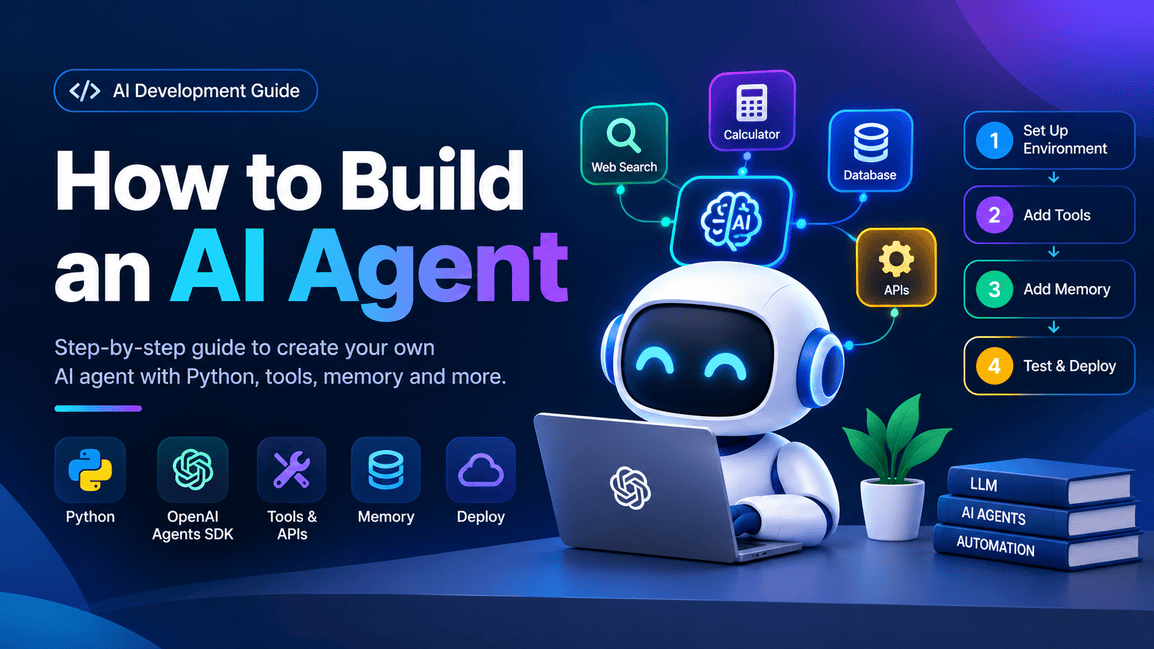
Artificial Intelligence (AI) is evolving beyond traditional chatbots. Today, AI agents can understand user instructions, make decisions, use external tools, retrieve information from databases and perform multi-step tasks with minimal human intervention.
For example, a traditional chatbot can tell you how to find a flight, whereas an AI agent can search for flights, compare available options and prepare a booking for your approval.
Building an AI agent is no longer limited to large AI companies. Developers can create their own AI agents using Python, large language models (LLMs), APIs and frameworks such as LangChain, OpenAI Agents SDK and CrewAI.
In this guide, you will learn how to build an AI agent from scratch, understand its architecture, connect it to tools, implement memory, test it and deploy it.
What You'll Learn
- What an AI agent is and how it works.
- The difference between an AI agent and a chatbot.
- The technologies required to build an AI agent.
- How to set up a Python development environment.
- How to build an AI agent step by step.
- How to connect external tools and APIs.
- How to add memory and handle errors.
- How to test and deploy your AI agent.
1. What Is an AI Agent?
An AI agent is a software system that uses an AI model to understand a goal, decide what to do next and, when permitted, execute actions using available tools.
Unlike a traditional chatbot that primarily generates text in response to prompts, an AI agent can follow a workflow involving multiple steps.
For example, consider an AI research agent. When a user asks it to research a company, the agent might:
- Understand the user's request.
- Search the web for relevant information.
- Read and summarize the search results.
- Identify missing information.
- Perform additional searches.
- Generate a final research report.
The agent uses an AI model to decide which action to take and when to stop.
How Does an AI Agent Work?
A typical AI agent follows this process:
- User instruction: The user provides a goal or task.
- AI model: The model understands the request and determines an appropriate action.
- Tool execution: The agent calls an available tool, such as a search API or database.
- Observation: The agent receives and evaluates the tool's result.
- Decision: The agent decides whether it needs another action or can finish the task.
- Final response: The agent returns the completed result to the user.
The important part of an AI agent is its ability to use the results of one action to determine the next action. This is commonly called the agent loop.
2. AI Agent vs. Traditional Chatbot
Understanding the difference between an AI agent and a chatbot helps you decide what you actually need to build.
| Feature | Traditional Chatbot | AI Agent |
|---|---|---|
| Primary purpose | Answer questions | Achieve a goal |
| Decision-making | Usually follows a fixed flow | Can choose actions |
| Tool integration | Optional | Commonly uses tools |
| Multi-step tasks | Usually limited | Can perform multiple steps |
| External APIs | Often manually integrated | Can select tools dynamically |
| Memory | Often conversation-based | Can use conversation or persistent memory |
| Automation | Limited | Can automate approved workflows |
A chatbot can also use tools, and an agent can be designed with a fixed workflow. The distinction is mainly how much decision-making and control the system delegates to the model.
3. Technologies Required to Build an AI Agent
Before writing code, you need to select the technologies for your agent.
Python
Python is widely used for AI development because it has extensive libraries for machine learning, API integration and automation.
Official documentation: https://docs.python.org/3/
Large Language Model (LLM)
The LLM understands instructions, generates responses and can select tools. In this tutorial, we'll use an OpenAI model.
Official documentation: https://platform.openai.com/docs/overview
OpenAI Agents SDK
The OpenAI Agents SDK is a Python framework that provides an agent abstraction, tool calling, handoffs, guardrails and execution tracing.
Official documentation: https://openai.github.io/openai-agents-python/
Visual Studio Code
You can use VS Code or any other Python-compatible IDE to write and run your code.
Official documentation: https://code.visualstudio.com/docs
For this practical tutorial, we'll use Python and the OpenAI Agents SDK to create a research assistant that can use a calculator and a web search tool.
4. Step 1: Set Up Your Development Environment
The first step is to prepare your system for AI agent development.
Prerequisites
Before starting, make sure you have:
- Python 3.10 or a compatible newer version.
- VS Code or another Python IDE.
- An OpenAI API key.
- An internet connection.
- Basic knowledge of Python.
Create a Project
Open your terminal and create a new project.
mkdir ai-agent-project
cd ai-agent-project
Create a Python virtual environment:
python -m venv .venv
Activate the virtual environment on Windows:
.venv\Scripts\activate
For macOS or Linux:
source .venv/bin/activate
A virtual environment keeps your project's Python dependencies separate from other projects.
Install the Required Package
Install the OpenAI Agents SDK using pip.
pip install openai-agents
Verify the installation:
pip show openai-agents
If the package information appears, the SDK is installed.
Official guide: https://openai.github.io/openai-agents-python/quickstart/
5. Step 2: Configure Your OpenAI API Key
An API key allows your application to authenticate with the OpenAI API.
First, create an API key in the OpenAI Platform:
https://platform.openai.com/api-keys
Follow these steps:
- Open the OpenAI Platform and sign in.
- Navigate to the API keys section.
- Create a new secret API key and copy it securely.
- Configure it as an environment variable.
For Windows PowerShell, run:
$env:OPENAI_API_KEY = "your-api-key"
For macOS or Linux:
export OPENAI_API_KEY="your-api-key"
Replace your-api-key with your actual API key.
Security best practice: Never expose your API key in frontend JavaScript, public GitHub repositories or screenshots. For production applications, use a secrets manager or securely configured environment variables. API usage may incur charges.
6. Step 3: Create Your First AI Agent
Now that the environment is ready, create your first AI agent.
Create a file named main.py in your project directory.
Add the following code:
import asyncio
from agents import Agent, Runner

agent = Agent(
    name="My First AI Agent",
    instructions=(
        "You are a helpful AI assistant. "
        "Answer questions clearly and accurately."
    ),
)

async def main():
    result = await Runner.run(
        agent,
        "Explain what an AI agent is in simple terms."
    )
    print(result.final_output)

if __name__ == "__main__":
    asyncio.run(main())
Understanding the Code
| Code | Purpose |
|---|---|
Agent |
Defines your AI agent. |
name |
Gives your agent a name. |
instructions |
Defines the agent's behavior. |
Runner |
Executes the agent. |
Runner.run() |
Starts an agent run. |
final_output |
Retrieves the final response. |
asyncio.run() |
Runs the asynchronous Python function. |
The agent receives the user's prompt, sends it to the configured model and returns the response.
Run your agent:
python main.py
You should receive an explanation of what an AI agent is in your terminal. The exact wording will vary depending on the model.
Official guide: https://developers.openai.com/api/docs/guides/agents/quickstart
7. Step 4: Give Your AI Agent Tools
Tools allow an AI agent to interact with external systems and perform actions beyond generating text.
For example, you can provide an agent with:
- A calculator for mathematical operations.
- A web search tool for retrieving information.
- A database tool for retrieving records.
- An email tool for sending messages.
- A file search tool for finding information in documents.
For this example, we'll add a calculator tool to our existing agent.
Create a Calculator Tool
Update main.py with the following code:
import asyncio
from agents import Agent, Runner, function_tool

@function_tool
def calculate(expression: str) -> str:
    """Calculate a basic mathematical expression."""
    import ast
    import operator

    operations = {
        ast.Add: operator.add,
        ast.Sub: operator.sub,
        ast.Mult: operator.mul,
        ast.Div: operator.truediv,
    }

    def evaluate(node):
        if isinstance(node, ast.Expression):
            return evaluate(node.body)

        if isinstance(node, ast.Constant) and type(node.value) in (int, float):
            return node.value

        if isinstance(node, ast.BinOp) and type(node.op) in operations:
            left = evaluate(node.left)
            right = evaluate(node.right)
            return operations[type(node.op)](left, right)

        raise ValueError("Unsupported mathematical expression")

    try:
        tree = ast.parse(expression, mode="eval")
        return str(evaluate(tree))
    except (ValueError, TypeError, SyntaxError, ZeroDivisionError):
        return "Invalid mathematical expression"

agent = Agent(
    name="Math Assistant",
    instructions=(
        "You are a math assistant. "
        "Use the calculate tool for arithmetic calculations. "
        "Explain the result clearly."
    ),
    tools=[calculate],
)

async def main():
    result = await Runner.run(
        agent,
        "Calculate 125 multiplied by 8 and add 250."
    )
    print(result.final_output)

if __name__ == "__main__":
    asyncio.run(main())
This example uses a restricted expression evaluator rather than Python's unrestricted eval() function.
How the Tool Works
- The user asks a mathematical question.
- The AI agent identifies that a calculation is needed.
- The agent calls the calculator tool.
- The calculator executes the expression and returns the result.
- The agent uses the result to answer the user.
The @function_tool decorator converts a Python function into a tool the agent can call. The function's name and docstring help the model understand when to use it.
The SDK handles the tool-calling cycle, so you don't need to write your own model-response parsing loop.
Official documentation: https://openai.github.io/openai-agents-python/tools/
8. Step 5: Add Web Search Capabilities
An AI agent with web search can retrieve information from the internet instead of relying entirely on its training data.
For example, you could ask it to find recent technology developments or research a company's publicly available information.
The OpenAI Agents SDK provides a hosted web search tool.
Add WebSearchTool to your agent:
import asyncio
from agents import Agent, Runner, WebSearchTool

agent = Agent(
    name="Research Agent",
    instructions=(
        "You are a research assistant. "
        "Use web search to find relevant information. "
        "Summarize your findings and include sources "
        "when available."
    ),
    tools=[WebSearchTool()],
)

async def main():
    result = await Runner.run(
        agent,
        "Research recent developments in AI agents."
    )
    print(result.final_output)

if __name__ == "__main__":
    asyncio.run(main())
When the user asks a question, the agent can decide whether web search is necessary, call the tool and use its results to construct the final response.
Important: Web search is a hosted tool and its availability and usage depend on your API configuration, supported model and applicable API pricing.
Official documentation: https://openai.github.io/openai-agents-python/tools/
9. Step 6: Add Memory to Your AI Agent
Memory allows an AI agent to retain useful information across interactions.
Without memory, an agent may not know what the user said in an earlier interaction. With memory, it can maintain relevant conversation context or retrieve stored information.
There are two common types of memory.
| Type | Description | Example |
|---|---|---|
| Short-term memory | Retains context during a conversation | Remembering the user's previous question |
| Long-term memory | Stores information for future conversations | Remembering a user's preferred report format |
The OpenAI Agents SDK provides sessions for maintaining conversation history.
Here's an example using an SQLite session:
import asyncio
from agents import Agent, Runner, SQLiteSession

agent = Agent(
    name="Personal Assistant",
    instructions=(
        "You are a helpful personal assistant. "
        "Use the conversation history to answer questions."
    ),
)

async def main():
    session = SQLiteSession("my_assistant")

    first = await Runner.run(
        agent,
        "My preferred programming language is Python.",
        session=session,
    )
    print(first.final_output)

    second = await Runner.run(
        agent,
        "Which programming language do I prefer?",
        session=session,
    )
    print(second.final_output)

if __name__ == "__main__":
    asyncio.run(main())
The session keeps the conversation history in SQLite, allowing the agent to use information from the earlier turn.
For a production application, consider user-specific session IDs, access controls, data retention policies and secure storage. Conversation history is not the same as a structured long-term memory system.
Official documentation: https://openai.github.io/openai-agents-python/sessions/
10. Step 7: Add Multiple Agents
As your application becomes more complex, you may want multiple specialized agents instead of one general-purpose agent.
For example, an AI research application might have:
- A research agent to collect information.
- A data analysis agent to analyze figures.
- A writing agent to prepare the final report.
These agents can work together through orchestration.
There are two common approaches to multi-agent orchestration.
Handoffs
One agent transfers control to another specialist agent. This is useful when a particular specialist should take responsibility for the response.
Agents as Tools
A manager agent stays in control and calls specialist agents as tools. This is useful when the manager should coordinate the workflow and produce the final response.
Start with one agent and introduce multiple agents only when the workflow requires them. Additional agents can increase latency, complexity and cost.
Official documentation: https://openai.github.io/openai-agents-python/multi_agent/
11. Step 8: Add Error Handling and Guardrails
An AI agent can encounter unexpected responses, API failures, invalid inputs and tool errors. A production-ready agent should handle these situations safely.
Consider the following safeguards:
| Safeguard | Purpose |
|---|---|
| Input validation | Rejects malformed or unexpected input |
| Output validation | Checks whether responses meet your requirements |
| Tool restrictions | Limits which operations the agent can perform |
| Retry handling | Handles temporary failures |
| Timeouts | Prevents requests from running indefinitely |
| Human approval | Requires confirmation before sensitive actions |
For example, an agent that drafts emails should not automatically send sensitive messages without appropriate authorization.
The Agents SDK also provides guardrails that can validate inputs and outputs.
Here's a simple example of handling an exception when running an agent:
import asyncio
from agents import Agent, Runner

agent = Agent(
    name="Support Agent",
    instructions="Answer customer support questions clearly.",
)

async def main():
    try:
        result = await Runner.run(
            agent,
            "How can I reset my password?"
        )
        print(result.final_output)

    except Exception as error:
        print(f"Agent execution failed: {error}")

if __name__ == "__main__":
    asyncio.run(main())
This is basic exception handling. In a real application, you should log errors securely, distinguish retryable errors from permanent ones and avoid exposing internal error details to end users.
Official documentation: https://openai.github.io/openai-agents-python/guardrails/
12. Step 9: Test Your AI Agent
Testing is essential before deploying an AI agent to real users.
A successful API response does not necessarily mean that the agent completed the task correctly.
You should test your agent against different scenarios.
| Test Case | Expected Behavior |
|---|---|
| Simple question | Provides a relevant answer |
| Mathematical question | Uses the calculator correctly |
| Research request | Uses web search when appropriate |
| Missing information | Asks for clarification or explains the limitation |
| Invalid input | Handles it safely |
| API failure | Returns a controlled error |
| Multiple requests | Maintains the correct session context |
You should also evaluate the agent's accuracy, tool selection, latency and token usage.
The Agents SDK includes tracing, which helps developers inspect model calls, tool calls and handoffs. This can be useful when debugging unexpected agent behavior.
For more systematic testing, prepare a set of representative user requests and expected outcomes. Run them whenever you change the instructions, tools or model configuration.
Official documentation: https://openai.github.io/openai-agents-python/tracing/
13. Step 10: Deploy Your AI Agent
Once your AI agent is working locally and has passed your tests, you can deploy it to a server or cloud platform.
A typical production architecture looks like this:
- Frontend: React, Next.js or another client.
- Backend API: FastAPI or another backend framework.
- AI agent: Instructions, model, tools and orchestration.
- Database: Application data and sessions.
- External APIs: Search and other services.
Deployment Options
| Platform | Typical Use |
|---|---|
| Render | Hosting Python backend services |
| Railway | Deploying backend applications |
| Google Cloud Run | Running containerized agents |
| AWS | Deploying scalable agent infrastructure |
| Docker | Packaging and running an agent consistently |
Deployment costs, free-tier limits and platform availability can change. Check each provider's official pricing and deployment documentation before choosing a hosting option.
For a production deployment, use HTTPS, authentication, rate limiting, monitoring, secure secrets and appropriate request timeouts. Keep the agent's API key on the backend rather than exposing it to the frontend.
14. Complete Project Structure
After following the tutorial, you can organize your application as follows:
ai-agent-project/
│
├── .venv/
├── .env
├── .gitignore
├── requirements.txt
│
├── main.py
│
├── agents/
│   ├── __init__.py
│   ├── research_agent.py
│   └── math_agent.py
│
├── tools/
│   ├── __init__.py
│   └── calculator.py
│
├── tests/
│   └── test_agent.py
│
└── README.md
This is an example structure for a growing application, not a requirement for the initial tutorial. You can start with just main.py and split the code into modules as the project grows.
A .gitignore file should exclude sensitive and generated files:
.venv/
.env
__pycache__/
*.pyc
.pytest_cache/
A requirements.txt file can contain:
openai-agents
To install dependencies from that file, run:
pip install -r requirements.txt
15. Common Mistakes to Avoid When Building AI Agents
When developing your first AI agent, avoid these common mistakes.
Building Too Many Agents Too Early
Start with one agent and add specialists only when you have a clear reason to divide the workflow.
Exposing API Keys
Never put secret keys in frontend code or public repositories. Use secure environment variables or a secrets manager.
Giving Tools Excessive Permissions
Restrict agents to the tools and operations they need. Require human approval for consequential actions.
Ignoring Memory and State
Decide what context needs to persist between interactions and implement appropriate session or storage mechanisms.
Skipping Monitoring and Testing
Track tool usage, errors, latency and output quality. Use repeatable tests to catch regressions.
16. Popular Frameworks for Building AI Agents
The OpenAI Agents SDK is one option. Other frameworks are available for different development requirements.
OpenAI Agents SDK
A lightweight framework for building agents with tools, handoffs, sessions and guardrails.
Official documentation: https://openai.github.io/openai-agents-python/
LangChain
A framework for building LLM applications, connecting models to tools and integrating with different providers.
Official documentation: https://docs.langchain.com/
CrewAI
A framework for building teams of agents with specialized roles and coordinated tasks.
Official documentation: https://docs.crewai.com/
Microsoft Semantic Kernel
An SDK for integrating AI models, plugins and orchestration into applications.
Official documentation: https://learn.microsoft.com/en-us/semantic-kernel/overview/
Each framework has a different programming model, integration ecosystem and learning curve. Choose based on the requirements of your application rather than the number of features alone.
17. Frequently Asked Questions (FAQs)
1. Can I Build an AI Agent Without Machine Learning Knowledge?
Yes. You can build a basic AI agent using an existing LLM API and an agent framework without training your own machine learning model. Basic Python knowledge is useful.
2. Is Python Necessary to Build an AI Agent?
No. Python is widely used, but you can also build agents using JavaScript and TypeScript. Several agent frameworks support multiple programming languages.
3. Can I Build an AI Agent for Free?
You can develop an agent locally using free software. However, hosted LLM APIs, web search and cloud hosting may incur costs. The availability of free credits or tiers depends on the provider.
4. What Is the Difference Between an AI Model and an AI Agent?
An AI model generates outputs based on inputs. An AI agent combines a model with instructions, tools and an execution process that allows it to pursue a task over multiple steps.
5. Can an AI Agent Access a Database?
Yes. You can expose database operations through tools. For security, restrict database permissions and validate all queries and inputs.
6. How Long Does It Take to Build an AI Agent?
A simple prototype can be built in a few hours by a developer familiar with Python. A production system with authentication, persistent memory, monitoring, evaluation and security controls will take longer.
7. Can I Create an AI Agent Using JavaScript or TypeScript?
Yes. The OpenAI Agents SDK supports Python and TypeScript. You can build an agent using either language, depending on your application's requirements.
18. Official Documentation and Learning Resources
These are the official resources referenced in this tutorial. They provide installation instructions, working examples and more advanced implementation details.
- OpenAI Agents SDK — Quickstart: https://developers.openai.com/api/docs/guides/agents/quickstart
- OpenAI Agents SDK — Tools: https://openai.github.io/openai-agents-python/tools/
- OpenAI Agents SDK — Sessions: https://openai.github.io/openai-agents-python/sessions/
- OpenAI Agents SDK — Multi-agent orchestration: https://openai.github.io/openai-agents-python/multi_agent/
- OpenAI Agents SDK — Guardrails: https://openai.github.io/openai-agents-python/guardrails/
- OpenAI Agents SDK — Tracing: https://openai.github.io/openai-agents-python/tracing/
- Python — Official documentation: https://docs.python.org/3/
Conclusion
Building an AI agent involves more than connecting an LLM to a chatbot interface. A functional agent needs clear instructions, appropriate tools, an execution loop and a way to handle results.
By following this tutorial, you have learned the fundamental process of creating an AI agent using Python and the OpenAI Agents SDK. You have also explored how to integrate tools, manage conversation history, add multiple agents, handle errors, test your application and prepare it for deployment.
Start with a simple agent that solves one clearly defined problem. Once it works reliably, add more capabilities incrementally. This approach helps keep the application understandable, easier to debug and more manageable as it grows.