Protecting APIs from Abuse (Rate Limiting, Validation)
Learn how modern applications protect APIs from abuse using rate limiting, request validation, authentication, and traffic monitoring to improve security, performance, and reliability in 2026.

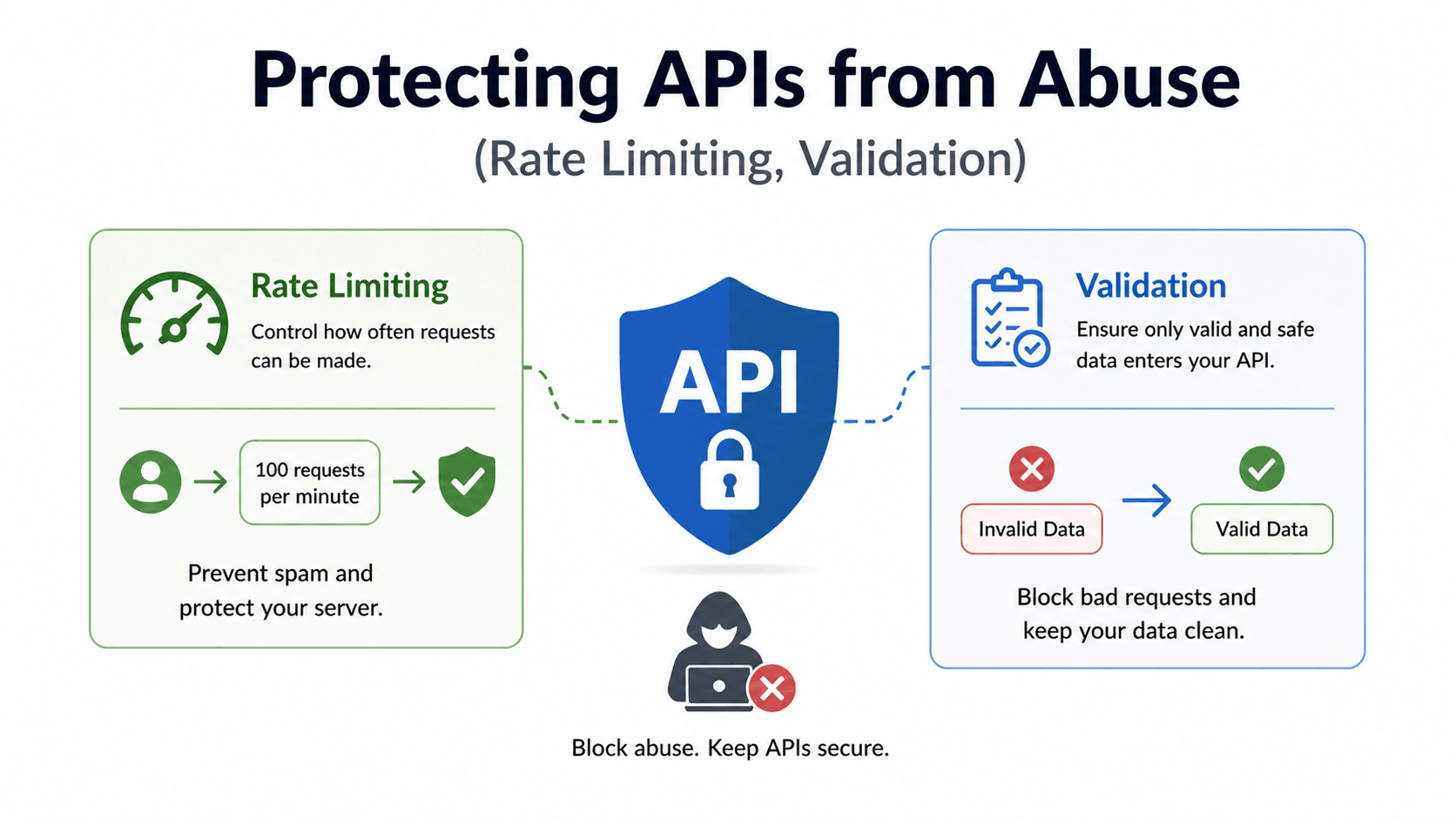
A practical guide to keeping your backend safe without overengineering
Introduction: The Problem You Don’t Notice Until It’s Too Late
Most developers build APIs like this:
- It works
- It returns data
- It connects frontend to the backend.
And then they move on.
Until one day:
- Your server slows down
- Requests spike unexpectedly
- Logs fill with garbage data
- Or worse, your API crashes
Not because your code is bad.
But because your API is unprotected.
This blog is about something most tutorials skip:
How to protect your API from abuse in real-world scenarios.
What Does “API Abuse” Actually Mean?
API abuse isn’t always hacking.
It can be:
- A bot sending thousands of requests
- A user spamming endpoints
- Invalid or malicious data being sent
- Someone trying to overload your server
Even a poorly built frontend can accidentally abuse your API.
The Two Core Defenses
If you remember only two things from this blog, let them be these:
- Rate Limiting → Control how often users can hit your API
- Validation → Control what data enters your system
These two alone can prevent most real-world issues.
Part 1: Rate Limiting (Controlling Traffic)
What Is Rate Limiting?
Rate limiting restricts how many requests a user can make in a given time.
Example:
- 100 requests per minute per IP
If exceeded:
- Requests get blocked or delayed
Why It Matters
Without rate limiting:
- Your API is open to spam
- Bots can overload your server
- One user can affect everyone
Real Example
Imagine this endpoint:
GET /products
Without limits:
- Someone can hit it 10,000 times in seconds
With rate limiting:
- You control usage
- You protect performance
Implementing Rate Limiting (Node.js Example)
Using Express:
npm install express-rate-limit
import rateLimit from "express-rate-limit";

const limiter = rateLimit({
  windowMs: 60 * 1000, // 1 minute
  max: 100, // limit each IP to 100 requests
  message: "Too many requests, please try again later",
});

app.use("/api", limiter);
Smart Rate Limiting Strategy
Don’t apply the same limit everywhere.
Better approach:
- Login → strict (prevent brute force)
- Public data → moderate
- Internal/admin → controlled access
Advanced Ideas
Once you grow:
- IP-based + user-based limits
- Different limits per endpoint
- Use Redis for distributed rate limiting
Part 2: Validation (Controlling Input)
If rate limiting protects your server, validation protects your logic.
What Is Validation?
Validation ensures:
- Data is correct
- Data is safe
- Data is expected
Example:
{
  "email": "user@example.com",
  "password": "123456"
}
Validation checks:
- Email format
- Password length
- Required fields
Why Validation Is Critical
Without validation:
- Invalid data enters database
- Bugs increase
- Security risks grow
Worst case:
- Injection attacks
- Broken business logic
Example: Basic Validation (Node.js)
Using a library like Joi or Zod:
npm install zod
import { z } from "zod";

const schema = z.object({
  email: z.string().email(),
  password: z.string().min(6),
});

app.post("/login", (req, res) => {
  const result = schema.safeParse(req.body);

  if (!result.success) {
    return res.status(400).json({
      error: "Invalid input",
    });
  }

  // continue logic
});
What Good Validation Looks Like
- Reject bad data early
- Give clear error messages
- Never trust frontend input
Common Validation Mistakes
1. Trusting Frontend Validation
Frontend can be bypassed easily.
Always validate on backend.
2. Weak Validation Rules
Example:
- Accepting any string as email
- No length checks
3. No Sanitization
Even valid data can be harmful.
Example:
- Script injection
- SQL injection
Combining Rate Limiting + Validation
This is where real protection happens.
Scenario:
User tries to:
- Send invalid data repeatedly
With protection:
- Validation rejects bad input
- Rate limiting blocks spam
Result:
Your API stays stable.
Bonus: Additional Protection Layers
1. Authentication
- Require tokens for protected routes
- Prevent anonymous abuse
2. Logging
Track:
- Failed requests
- Suspicious activity
3. Error Handling
Don’t expose:
- Internal errors
- Stack traces
4. CORS Control
Limit who can access your API.
Real-World Example (Putting It Together)
Let’s say you have:
POST /api/login
Without Protection:
- Unlimited attempts
- No validation
- Easy brute-force
With Protection:
- Rate limit (5 requests/min)
- Input validation
- Error handling
Now:
- Secure
- Stable
- Predictable
The Biggest Mistake Developers Make
They build features first, protection later.
But by then:
- Bugs already exist
- Users already misuse endpoints
- Fixing becomes harder
A Better Approach
Build protection alongside features.
Every new endpoint:
- Add validation
- Add rate limiting
- Think about abuse
Final Thoughts
APIs are not just about functionality.
They are about control.
Control:
- Who can access
- How often
- What data enters
Without that, your system is fragile.
With it, your system becomes reliable.