Hidden JavaScript Features You’re Probably Not Using (But Should)
Discover powerful but often overlooked JavaScript features that can help you write cleaner, more efficient, and more maintainable code. From optional chaining to structured cloning, this guide explores practical techniques every modern developer should know.

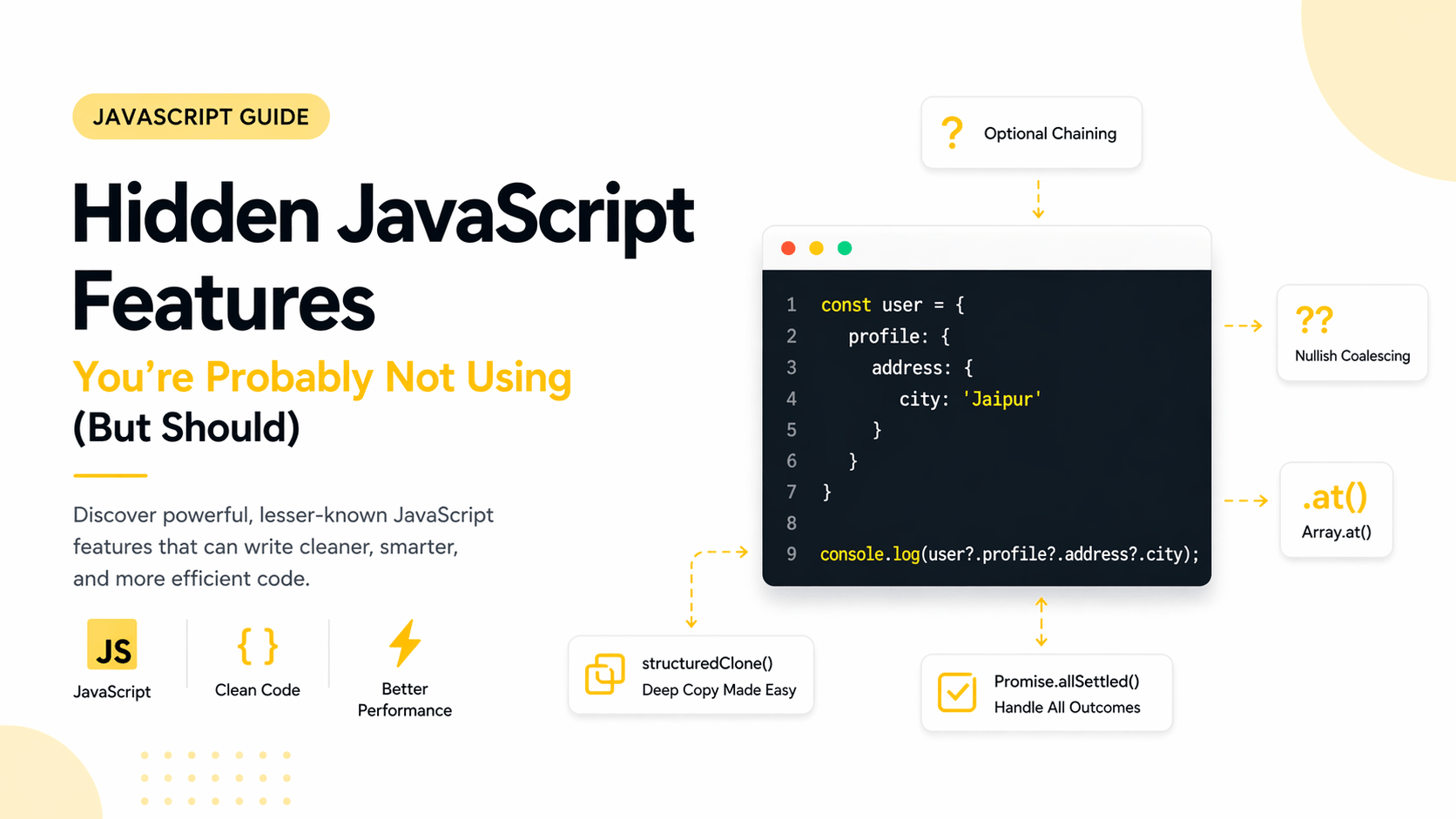
JavaScript is one of those languages that feels simple at first… until it doesn’t.
Most developers learn the basics — variables, functions, promises, maybe async/await — and then stop exploring. Not because they don’t care, but because JavaScript is huge. And many of its most powerful features are hidden in plain sight.
There are features inside JavaScript right now that can make your code cleaner, safer, and more expressive — but most developers never use them.
This blog explores those features.
Not the obvious ones. Not the ones repeated in beginner tutorials.
These are practical, production-level features that can genuinely improve how you write JavaScript.
Why Hidden JavaScript Features Matter
The difference between a beginner, intermediate, and senior developer often comes down to how well they understand and use the language itself.
Hidden features help you:
- write less code while doing more
- avoid subtle bugs
- improve readability and maintainability
- approach problems more effectively
Once you start using them, your code naturally becomes more efficient and easier to reason about.
Optional Chaining (?.) Beyond Basics
Optional chaining is widely known, but often underused.
Instead of writing defensive checks like
if (user && user.profile && user.profile.address) {
  console.log(user.profile.address.city);
}
You can write:
console.log(user?.profile?.address?.city);It also works with function calls:
user?.getProfile?.();This prevents runtime errors when properties or methods do not exist.
In real-world applications, especially APIs and deeply nested data structures, this significantly reduces unnecessary checks and improves code clarity.
Nullish Coalescing (??) vs Logical OR (||)
Many developers use logical OR for default values:
const name = user.name || "Guest";This can lead to unexpected results when the value is an empty string, zero, or false.
Using nullish coalescing solves this:
const name = user.name ?? "Guest";It only falls back when the value is null or undefined.
This is especially useful in form handling, configuration settings, and API responses where falsy values may still be valid.
Advanced Object Destructuring
Destructuring goes beyond extracting simple values.
You can rename variables:
const { name: username } = user;Provide default values:
const { role = "user" } = user;Work with nested objects:
const { address: { city } } = user;And even destructure directly in function parameters:
function createUser({ name, age }) {
  console.log(name, age);
}
This leads to cleaner and more expressive code, especially in large-scale applications.
Object.fromEntries for Data Transformation
Most developers know Object.entries(), but fewer use its reverse.
Object.fromEntries([
  ["name", "Naman"],
  ["age", 22]
]);
This becomes powerful when transforming data:
const cleaned = Object.fromEntries(
  Object.entries(user).filter(([_, value]) => value != null)
);
This pattern is extremely useful for sanitizing objects before storing or sending them.
Cleaner Indexing with Array.at()
Accessing the last element of an array is often written like this:
arr[arr.length - 1];Using at() makes it cleaner:
arr.at(-1);It improves readability and reduces the chance of off-by-one errors.
Promise.allSettled for Safer Async Handling
Promise.all() fails immediately if one promise fails.
In many real-world scenarios, you may want to handle all results regardless of failure.
Promise.allSettled(promises);It returns an array describing both fulfilled and rejected promises.
This is particularly useful when working with multiple independent API calls.
structuredClone for Deep Copy
A common workaround for deep copying objects is the following:
JSON.parse(JSON.stringify(obj));This approach has limitations.
Instead, use:
const clone = structuredClone(obj);It supports more data types and handles nested structures safely.
Private Class Fields
JavaScript now supports true private fields in classes:
class User {
  #password;

  constructor(password) {
    this.#password = password;
  }
}
These fields cannot be accessed outside the class, improving encapsulation and security.
Logical Assignment Operators
These operators simplify conditional assignments.
Instead of:
if (!user.name) {
  user.name = "Guest";
}
You can write:
user.name ||= "Guest";Other variants include:
user.age ??= 18;They reduce boilerplate and make intent clearer.
Intl API for Formatting
JavaScript provides built-in internationalization tools.
Formatting dates:
new Intl.DateTimeFormat("en-IN").format(new Date());Formatting currency:
new Intl.NumberFormat("en-IN", {
  style: "currency",
  currency: "INR"
}).format(1000);
This eliminates the need for many external libraries.
Dynamic Imports for Better Performance
Instead of static imports:
import module from "./module";
You can use dynamic imports:
const module = await import("./module");This enables lazy loading and improves application performance.
Map and Set for Better Data Structures
Objects are not always the best choice.
Use Map when you need flexible keys, including non-string values.
Use Set when you need unique values:
const unique = [...new Set([1, 2, 2, 3])];These structures are often more efficient and expressive.
Array.flat and flatMap
Flatten nested arrays easily:
[1, [2, [3]]].flat(2);Or combine mapping and flattening:
arr.flatMap(x => [x * 2]);These methods simplify transformations significantly.
WeakMap and WeakSet
These are advanced structures used for memory-sensitive operations.
const wm = new WeakMap();
wm.set(obj, "data");
When the object is garbage collected, the associated data is removed automatically.
They are useful for caching and avoiding memory leaks.
Tagged Template Literals
You can customize template literals using functions:
function highlight(strings, value) {
  return `${strings[0]}${value}`;
}

highlight`Hello ${"World"}`;
This can be used for formatting, sanitization, or building DSL-like utilities.
Final Thoughts
JavaScript is not just about writing code that works. It is about writing code that is clean, predictable, and maintainable.
Most developers stop at the basics. The ones who grow further explore deeper features and understand how to apply them effectively.
Start by picking one feature from this list and using it in a real project. Over time, these small improvements compound into significantly better code.