How to Handle an Array of Promises in JavaScript
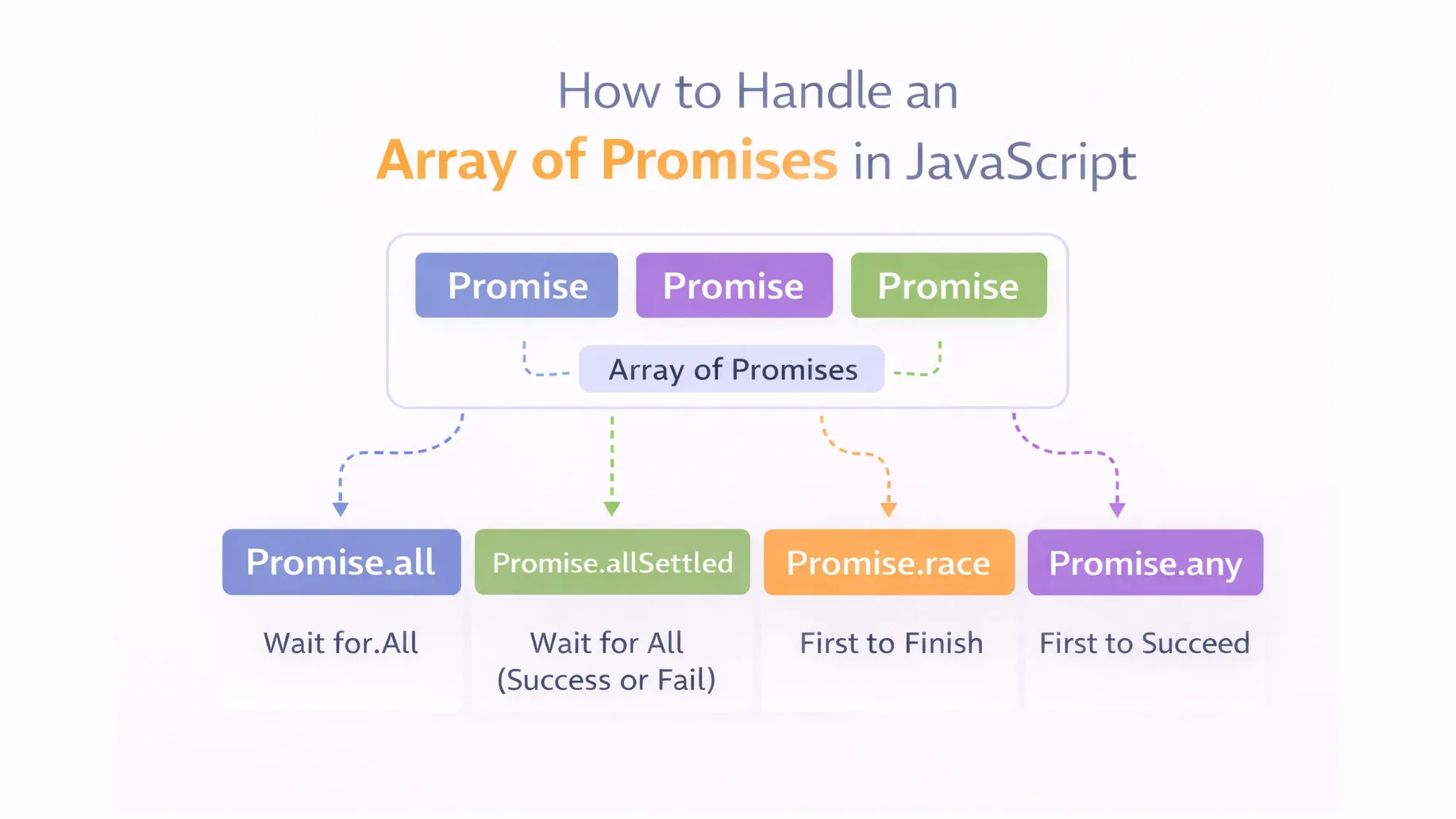
When working with asynchronous code in JavaScript, you often need to run multiple promises at the same time.
For example:
- Fetching data from multiple API endpoints
- Uploading several files simultaneously
- Running multiple database queries
- Processing multiple asynchronous tasks in parallel
Handling these operations one by one can make your application slower and harder to manage.
Instead, JavaScript provides powerful built-in methods to efficiently manage arrays of promises, allowing multiple asynchronous operations to run in parallel and be handled in a clean, structured way.
In this blog, we’ll explore how to work with multiple promises step by step.
Before diving deeper, make sure you understand the basics of Promises.
🔹 The Problem: Multiple Async Tasks
Imagine you need to fetch data from 3 APIs:
await fetchUser();
await fetchPosts();
await fetchComments();
If you wait for each one sequentially, it becomes slow.
We need them to run in parallel.
🔹 Creating an Array of Promises
Example:
const promise1 = Promise.resolve("User");
const promise2 = Promise.resolve("Posts");
const promise3 = Promise.resolve("Comments");

const promises = [promise1, promise2, promise3];
Now we have an array of promises.
But how do we handle them together?
1️⃣ Promise.all()
This is the most common method.
Waits for ALL promises to succeed.
If ONE fails → everything fails.
Promise.all(promises)
  .then(results => {
    console.log(results);
  })
  .catch(error => {
    console.error(error);
  });
Output: User, Posts, CommentsWhat If One Promise Fails?
const promise2 = Promise.reject("Failed!");
Then Promise.all() immediately fails.
That’s sometimes dangerous.
2️⃣ Promise.allSettled()
This method waits for ALL promises, whether they succeed or fail.
It never rejects.
Promise.allSettled(promises)
  .then(results => console.log(results));
It returns:
[
  { status: "fulfilled", value: "User" },
  { status: "rejected", reason: "Error" }
]
3️⃣ Promise.race()
Returns the FIRST promise that settles (success OR failure).
Promise.race(promises)
  .then(result => console.log(result));
Useful for:
- Timeouts
- Fastest response
4️⃣ Promise.any()
Returns the first SUCCESSFUL promise.
If all fail → throws error.
🔹 Parallel vs Sequential Execution
❌ Sequential (Slow)
await fetchUser();
await fetchPosts();
await fetchComments();
Each waits for the previous.
✅ Parallel (Fast)
await Promise.all([
  fetchUser(),
  fetchPosts(),
  fetchComments()
]);
All run at the same time.
Much faster.
🔹 Real-World Example
Imagine loading a dashboard:
- User data
- Notifications
- Messages
- Settings
Instead of:
Wait → Wait → Wait → WaitYou do:
Load everything together
That’s why Promise.all() is powerful.
🔹 Common Mistakes
❌ Forgetting to return promises inside map
❌ Using sequential await unnecessarily
❌ Not handling rejected promises
❌ Not understanding that Promise.all fails fast
🔹 Performance Tip
When using arrays:
const results = await Promise.all(
  urls.map(url => fetch(url))
);
This runs all fetches concurrently.
Professional pattern.
🔹 Quick Comparison Table
| Method | Fails Fast? | Waits All? | Returns First? |
|---|---|---|---|
| Promise.all | ✅ Yes | ❌ No | ❌ No |
| Promise.allSettled | ❌ No | ✅ Yes | ❌ No |
| Promise.race | Depends | ❌ No | ✅ Yes |
| Promise.any | ❌ Only if all fail | ❌ No | ✅ First success |
🔹 Conclusion
When working with multiple async tasks:
- Use
Promise.all()for parallel success - Use
Promise.allSettled()when you need all results - Use
Promise.race()for fastest result - Use
Promise.any()for first success